Using OmicVerse MCP with Claude Code — Step by Step
This page focuses on the Claude Code workflow: how to connect OmicVerse MCP, verify the tools, run a standard analysis, and inspect the results. Broader deployment details, the full tool catalog, and runtime internals now live in the dedicated MCP pages.
Related Pages
- Complete onboarding: Full Start
- Deployment patterns: Clients and Deployment
- Full tool inventory: Tool Catalog
- Runtime behavior and troubleshooting: Runtime and Troubleshooting
- Flags and JSON-RPC reference: Reference
Minimal Claude Code Setup
Project-level .mcp.json with stdio
{
  "mcpServers": {
    "omicverse-local": {
      "type": "stdio",
      "command": "python",
      "args": [
        "-m", "omicverse.mcp",
        "--phase", "P0+P0.5",
        "--persist-dir", "/tmp/ov_persist_local"
      ],
      "env": {}
    }
  }
}
Global shortcut
claude mcp add omicverse -- python -m omicverse.mcp --phase P0+P0.5
Local HTTP option
Start OmicVerse MCP:
NUMBA_CACHE_DIR=/tmp/numba_cache MPLCONFIGDIR=/tmp/mpl \
python -m omicverse.mcp \
  --transport streamable-http \
  --host 127.0.0.1 \
  --port 8765 \
  --http-path /mcp \
  --phase P0+P0.5
Then point Claude Code at it:
{
  "mcpServers": {
    "omicverse": {
      "type": "http",
      "url": "http://127.0.0.1:8765/mcp"
    }
  }
}
Step-by-Step Walkthrough
Step 1: Launch Claude Code
Navigate to your project directory and start Claude Code:
cd /path/to/your/project
claude
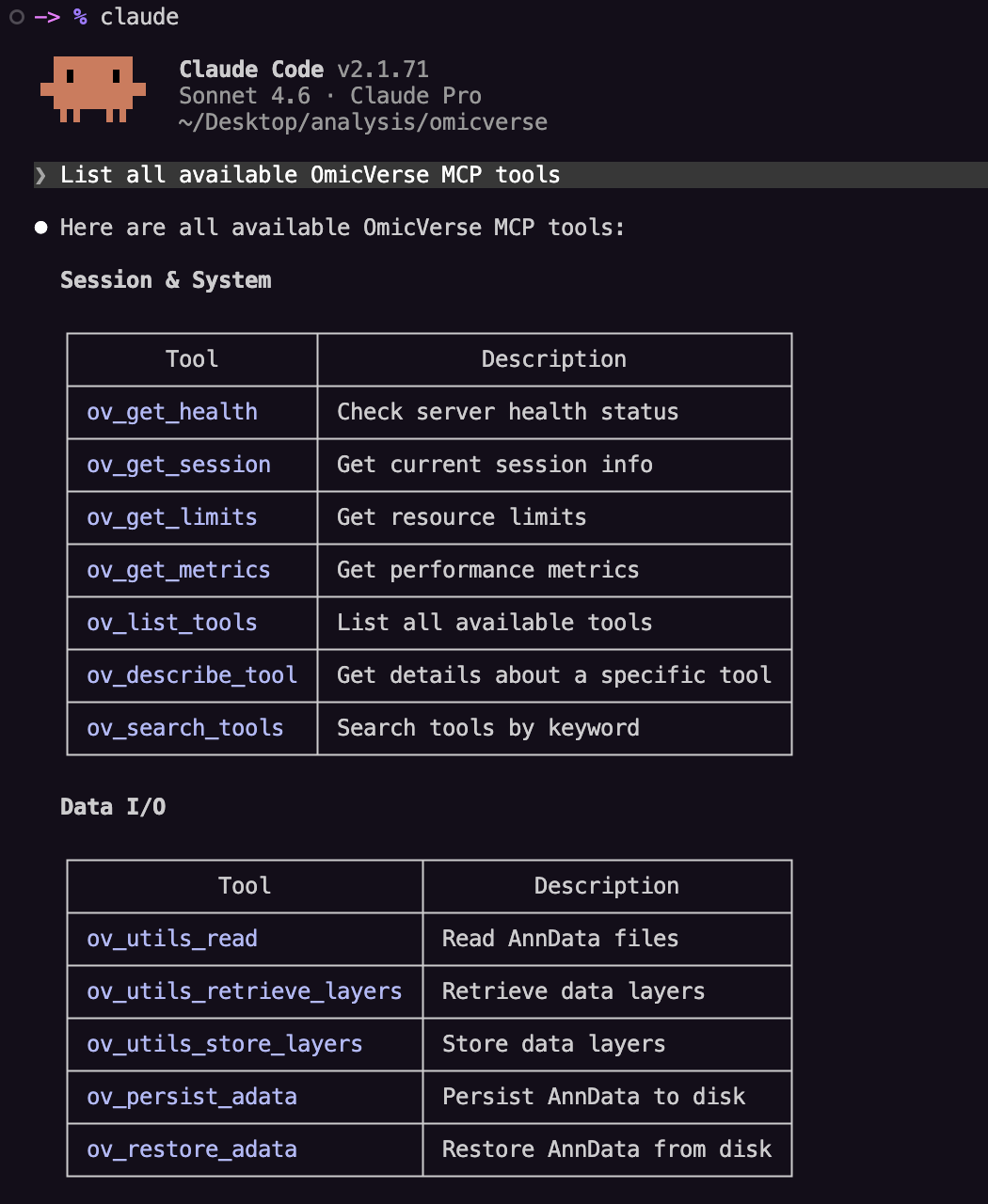
Step 2: Verify tools are loaded
Ask:
List all available OmicVerse MCP tools
Step 3: Load your data
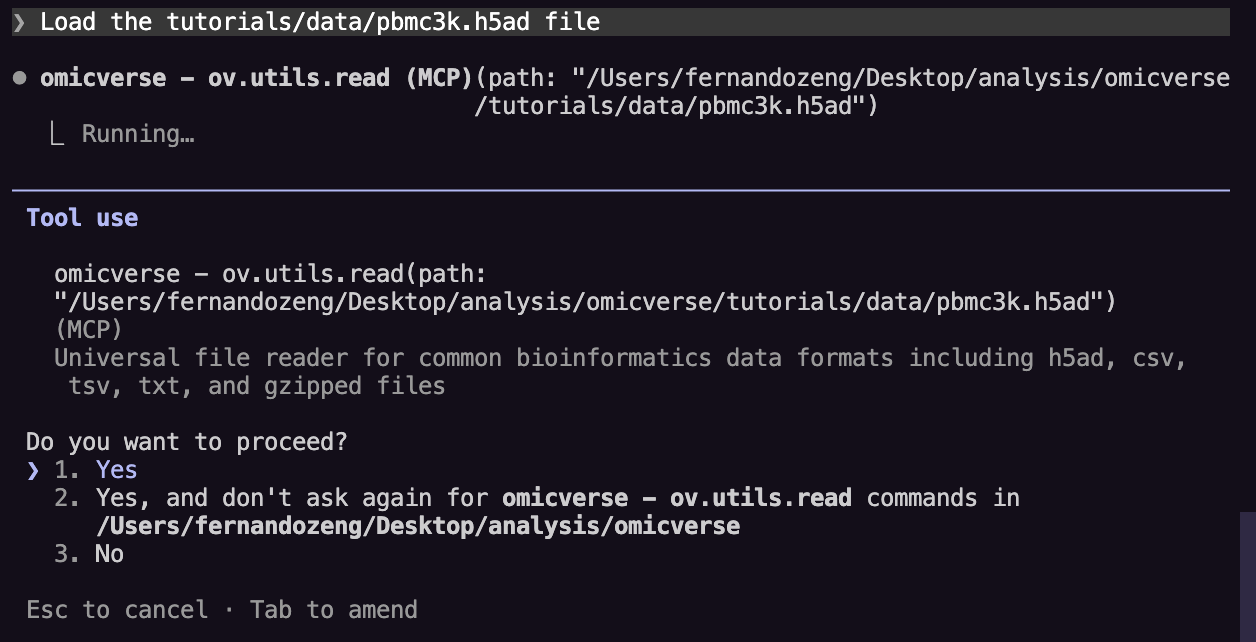
Ask:
Load the pbmc3k.h5ad file
Or use a built-in dataset:
Load the built-in seqfish dataset
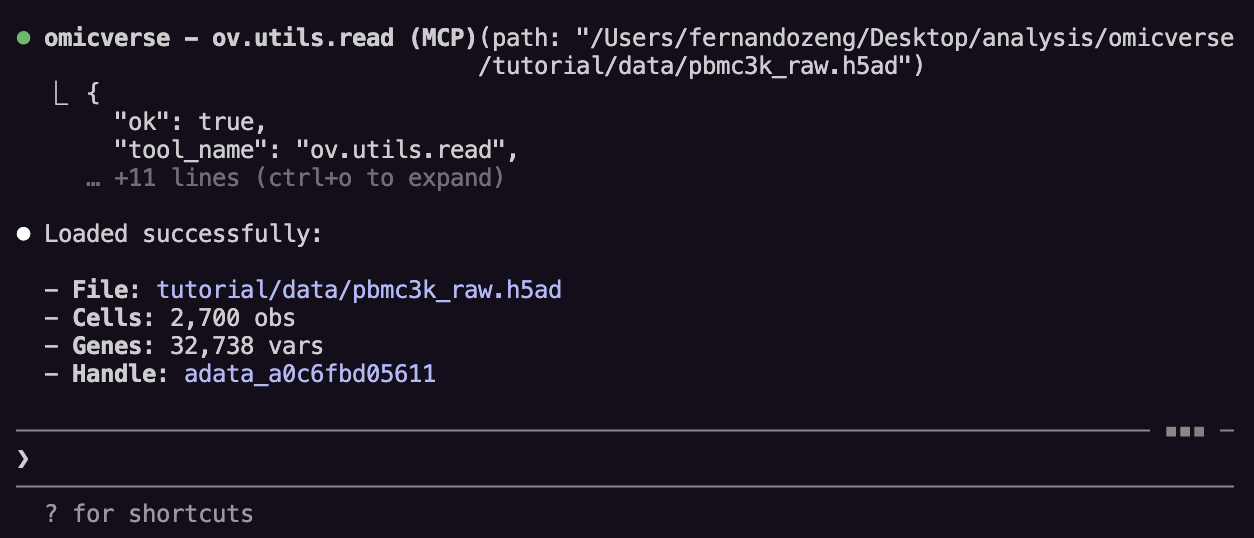
The adata_id is a server-side reference. Claude tracks it automatically.
Step 4: Quality control
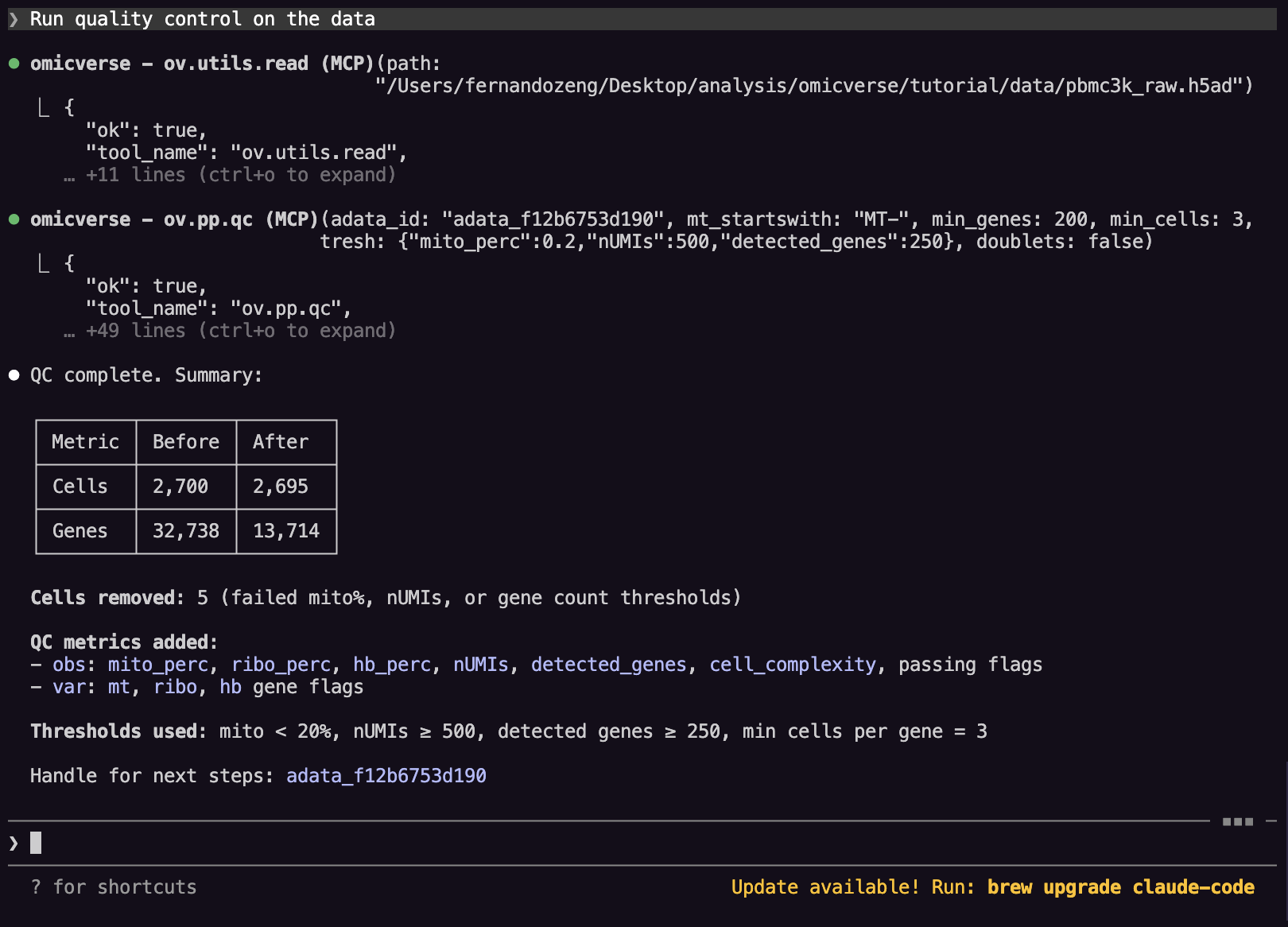
Ask:
Run quality control on the data
Claude calls ov.pp.qc, which computes per-cell metrics such as:
n_genesn_countspct_counts_mt
Step 5: Run preprocessing
Ask:
Run the standard preprocessing: scale, PCA with 50 components, build neighbors, compute UMAP, and do Leiden clustering at resolution 1.0
Claude runs the tools in sequence:
ov.pp.scaleov.pp.pcaov.pp.neighborsov.pp.umapov.pp.leiden
Automatic prerequisite checking
The MCP server enforces the correct ordering. If Claude tries to skip a step, the server returns an error such as:
{"ok": false, "error_code": "missing_data_requirements", "suggested_next_tools": ["ov.pp.scale"]}
Claude can use suggested_next_tools to self-correct.
Step 6: Visualize
Ask:
Plot the UMAP colored by Leiden clusters
Show me a violin plot of n_genes grouped by leiden cluster
Create a dot plot for genes CD3D, CD79A, LYZ, NKG7 grouped by leiden
Step 7: Marker analysis
Ask:
Find marker genes for each Leiden cluster and show me the top 5 per cluster
Plot a marker gene dotplot
Run COSG to rank marker genes
Perform pathway enrichment on the marker genes
Plot the pathway enrichment results
Step 8: Save and restore
Ask:
Save the current dataset to disk
Later:
Restore the dataset from /path/to/file.h5ad
Complete Conversation Example
You: Load the file pbmc3k.h5ad

Claude: Loaded AnnData with 2700 cells x 32738 genes.

You: Run QC, preprocessing, and cluster the cells

Claude: I'll run the full pipeline step by step.
  [calls ov.pp.qc]
  [calls ov.pp.scale]
  [calls ov.pp.pca]
  [calls ov.pp.neighbors]
  [calls ov.pp.umap]
  [calls ov.pp.leiden]

You: Show me the UMAP

Claude: [calls ov.pl.embedding]

You: Find marker genes and show top 3 per cluster

Claude: [calls ov.single.find_markers]
  [calls ov.single.get_markers]

You: Save the results

Claude: [calls ov.persist_adata]
P2 Workflows
If you need advanced class-backed tools, start OmicVerse with:
{
  "mcpServers": {
    "omicverse": {
      "command": "python",
      "args": ["-m", "omicverse.mcp", "--phase", "P0+P0.5+P2"]
    }
  }
}
This enables workflows such as:
ov.bulk.pydegov.single.pyscsaov.single.metacellov.single.dctov.utils.lda_topic
pyDEG
Typical lifecycle:
ov.bulk.pydegwithcreateov.bulk.pydegwithrunov.bulk.pydegwithresultsov.bulk.pydegwithdestroy
pySCSA
Typical lifecycle:
ov.single.pyscsawithcreateov.single.pyscsawithannotateov.single.pyscsawithdestroy
MetaCell
Typical lifecycle:
ov.single.metacellwithcreateov.single.metacellwithtrainov.single.metacellwithpredictov.single.metacellwithdestroy
Short Troubleshooting List
- Missing tools: ask Claude to run
ov.list_tools - Missing dependencies: ask Claude to run
ov.describe_tool - Lost session state: reload or
ov.restore_adata - Long-running task confusion: inspect Runtime and Troubleshooting